
TypeScript: Notes

Typed JavaScript at Any Scale - TypeScript extends JavaScript by adding types.

Install TypeScript

PS D:\projects\lthwts> npm install -g typescript
D:\nodejs\tsc -> D:\nodejs\node_modules\typescript\bin\tsc
D:\nodejs\tsserver -> D:\nodejs\node_modules\typescript\bin\tsserver
+ typescript@3.8.3
added 1 package from 1 contributor in 4.843s

PS D:\projects\lthwts> tsc --version
Version 3.8.3
PS D:\projects\lthwts>

Update TypeScript

PS D:\projects\lthwts> npm install -g typescript
D:\nodejs\tsc -> D:\nodejs\node_modules\typescript\bin\tsc
D:\nodejs\tsserver -> D:\nodejs\node_modules\typescript\bin\tsserver
+ typescript@4.5.4
updated 1 package in 67.965s
PS D:\projects\lthwts> tsc --version
Version 4.5.4
PS D:\projects\lthwts>
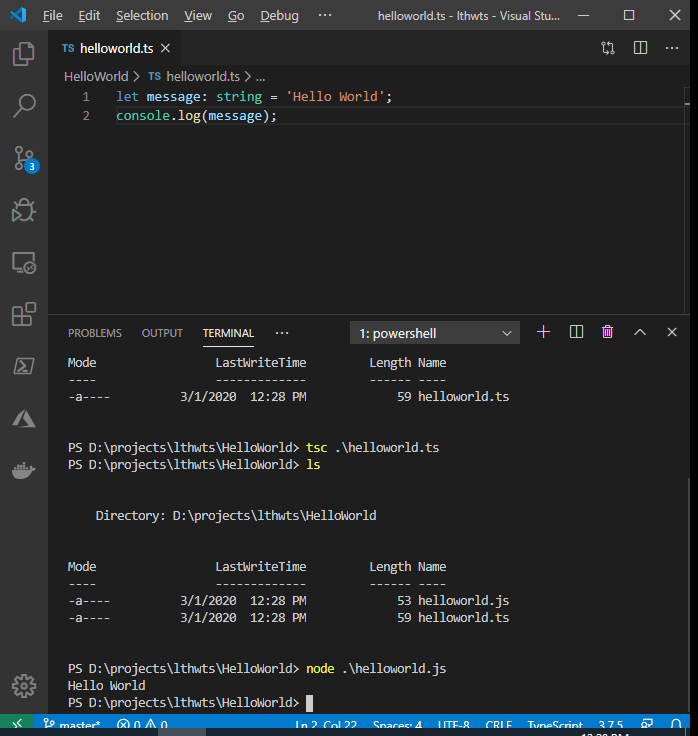
Hello Work TypeScript with Microsoft Visual Code

Free courses to learn TypeScript

Popular posts from this blog

Hydra: Notes

Hydra v9.1 (c) 2020 by van Hauser/THC & David Maciejak - Please do not use in military or secret service organizations, or for illegal purposes (this is non-binding, these *** ignore laws and ethics anyway).

[Microsoft Outlook]: Set .pst and .ost files location with ForcePSTPath Registry Key

Set .pst and .ost files location with ForcePSTPath Registry Key The ForcePSTPath registry key is supported by Microsoft Outlook 2003 and later. In Microsoft Outlook 2003 and 2007, it applies to new profiles only. Microsoft Outlook 2013 and Outlook 2016 it applies to new accounts created in a profile. Microsoft Outlook 2013 saves .pst in   %userprofile%\Documents\Outlook Files folder by default. We can change that default setting by adding a new string registry key called ForcePSTPath and set the value to the folder that we want to save those files. Set Microsoft Outlook 2013 always save new .pst and .ost files to D:\Data\Mail folder OST file reached the maximum size The OST File Has Reached The Maximum Size